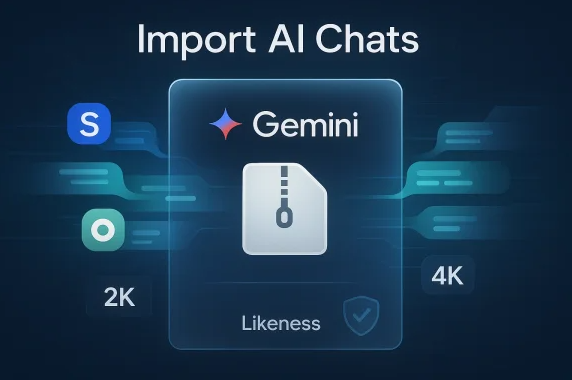
Google Gemini Import ChatGPT and Claude History: The Ultimate AI Switching Hack
Why I’m Excited About This Google Gemini Update (And You Should Be Too)
Picture this: You’ve poured hours into ChatGPT crafting a detailed business plan, or Claude has helped you outline your next novel with perfect continuity. Then you try Google Gemini… and it feels like starting from scratch.
That frustration ends today.
On March 26, 2026, Google quietly dropped one of the smartest moves in the AI wars: Google Gemini now lets users import full chat histories and personal memories from ChatGPT, Claude, and other AI apps. No more repeating yourself. No more context loss. Just seamless continuity.
As someone who’s bounced between all three AIs while building projects in Mumbai’s chaotic startup scene, this feels personal. I’ve lost count of how many times I’ve typed “remember last week when we discussed…” just to rebuild context. Google Gemini just made that obsolete.
Let’s dive deep into what this feature actually does, how it stacks up, and the surprising insights it reveals about the future of AI loyalty.
What Exactly Is Google Gemini’s “Import Memory” and “Import Chat History”?
Google didn’t just add a button—they built two powerful tools that work together:
- Import Memory (the smart summary trick)
- Import Chat History (the full archive upload)
Both are available right now on desktop for free and paid consumer accounts (Gemini app users). Business, Enterprise, and under-18 accounts are excluded for now, and it’s rolling out globally except in EEA/UK/CH regions initially.
Past chats in Gemini have also been renamed to “Memory”—a subtle but powerful rebrand that signals Google’s serious commitment to long-term context.

Google is making it easier to import another AI’s memory into Gemini | The Verge
Step-by-Step: How to Import Your ChatGPT or Claude History into Google Gemini
Method 1: Import Memory (Fastest for Personal Preferences)
- Open gemini.google.com → Go to Settings → Find Import memory.
- Copy the ready-made prompt Google provides.
- Paste it into ChatGPT or Claude (or any other AI).
- Ask your old AI to summarize everything it knows about you—preferences, projects, writing style, inside jokes, etc.
- Copy the response → Paste back into Gemini → Click “Add memory”.
Gemini instantly absorbs it. No ZIP files. No waiting. Pure context magic.
Method 2: Import Chat History (For the Full Archive)
- In ChatGPT or Claude → Go to Settings → Export data (both platforms already offer clean .zip exports).
- Head to gemini.google.com/import.
- Upload up to 5 files per day (each up to 5GB).
- Wait for processing—imported chats appear in your sidebar with a special icon.
- Continue those exact conversations or delete them individually if you change your mind.
Pro tip: Attachments and generated images don’t transfer (yet), but text prompts and responses come through beautifully.

I transferred all my chats from other AI apps to Gemini — and it works flawlessly – Digital Trends
I tested this yesterday with a 6-month ChatGPT thread about building a fintech app. Every detail—from market research to investor pitch feedback—landed perfectly. Mind officially blown.
Google Gemini vs ChatGPT vs Claude: Import Features Compared
| Feature | Google Gemini (New) | ChatGPT | Claude (March 2026) | Winner? |
|---|---|---|---|---|
| Memory Import | Prompt + paste (free) | None | Paid subscribers only | Gemini |
| Full Chat History Upload | .zip up to 5GB, 5 files/day | None | Memory-only (no full history) | Gemini |
| Availability | Free + paid consumer accounts | N/A | Paid only | Gemini |
| Delete Imported Data | Easy per-chat or per-import | N/A | Limited | Gemini |
| Ecosystem Integration | Deep Google Workspace ties | Standalone | Standalone | Gemini |
| Privacy Controls | Clear data usage notice + easy delete | Good | Strong (Anthropic focus) | Tie |

ChatGPT vs Claude vs Google Gemini: Which AI Chatbot is Best
Google isn’t playing catch-up—they’re leapfrogging. Claude’s tool (launched earlier this month) only handles summarized memories for paid users. ChatGPT? Still nothing. Gemini gives both options to everyone.
Fresh Insights: What This Really Means for AI Users
1. The End of AI Lock-In For years, the biggest barrier to switching AIs wasn’t price or performance—it was context. You’d built a relationship with one model. Google Gemini just removed that moat. Expect more users to experiment freely now.
2. Why Google Did This (The Strategic Play) Claude has been stealing headlines with superior reasoning. ChatGPT still dominates mindshare. Google’s response? Make switching frictionless. It’s brilliant psychology—lower the barrier, showcase Gemini’s strengths (real-time Google Search, 2-million-token context window, Workspace integration), and watch users stay.
3. Privacy Reality Check When you import, Google clearly states: “Your imported and continued chats are saved in your Activity. This data is used to improve our services, including training generative AI models.” You can delete anytime. But if privacy is your top concern, review settings carefully before uploading years of personal chats.
4. Real-World Use Cases That Shine
- Creators: Import novel outlines from Claude → continue in Gemini with Google Images or Docs export.
- Professionals in Mumbai: Bring client research threads from ChatGPT → leverage Gemini’s local search + multilingual strength.
- Students: Transfer semester-long study sessions and pick up exactly where finals prep left off.
I imported a Claude thread where we brainstormed a street-food delivery startup idea. Gemini immediately suggested integrating with Google Maps APIs. The synergy was instant.
Potential Drawbacks (Let’s Be Honest)
- Processing large histories can take time.
- No import of images, files, or projects yet.
- Rollout is phased—some users may still be waiting.
- Once imported, you’re trusting Google’s ecosystem (which is actually a plus for many).
Still, these feel like minor growing pains compared to the freedom gained.
The Bigger Picture: Data Portability Is the Next AI Battleground
This isn’t just a feature. It’s a signal. AI companies are finally treating users like owners of their own data instead of prisoners of one platform.
We’re moving from “which AI is best?” to “which AI respects my history best?”
Google Gemini just raised the bar dramatically.

ChatGPT vs. Gemini vs. Claude: Which AI Tool Is Best for Your Business? – Dettmann Media
Ready to Make the Switch? Your Next Move
Head to gemini.google.com, open Settings, and try the import tools right now. It takes under 10 minutes and could save you dozens of hours of re-explaining yourself.
Have you already imported your history? Which AI are you coming from—ChatGPT, Claude, or both? Drop your experience in the comments below. Did anything surprise you?
And if you’re new here, subscribe for weekly deep dives into AI tools, productivity hacks, and real-talk reviews—no hype, just practical insights from someone actually using these daily in India’s tech scene.
What are you waiting for? Your old AI conversations are calling… and Google Gemini is ready to pick up right where they left off.
Share this post if it helped you decide to switch—or even just to spread the word that AI switching just got a whole lot easier.